Once you purchase the DET Voucher Code from Abroad Cube, the next step will be to redeem it on the Duolingo English Test website and be ready to start the exam. Once you redeem the Voucher Code on the DET website, you will have a standard 21-day window to start the exam at any time. In this guide, we will learn to redeem the Voucher Code on the DET website and subsequently receive the Test Result in 24 hours instead of the general 48 hours, complimentary as a benefit of the exclusive partnership between Abroad Cube and Duolingo English Test.
Before You Start: Get Your DET Voucher Code — Make sure you already have your voucher code from Abroad Cube. If you haven't collected it yet, place an order for the DET Exam Voucher or message our team on WhatsApp and we'll issue one to you instantly.
Here is the Step-by-Step Guide to redeeming the Duolingo English Test Voucher and receiving your result in 24 hours, complimentary!
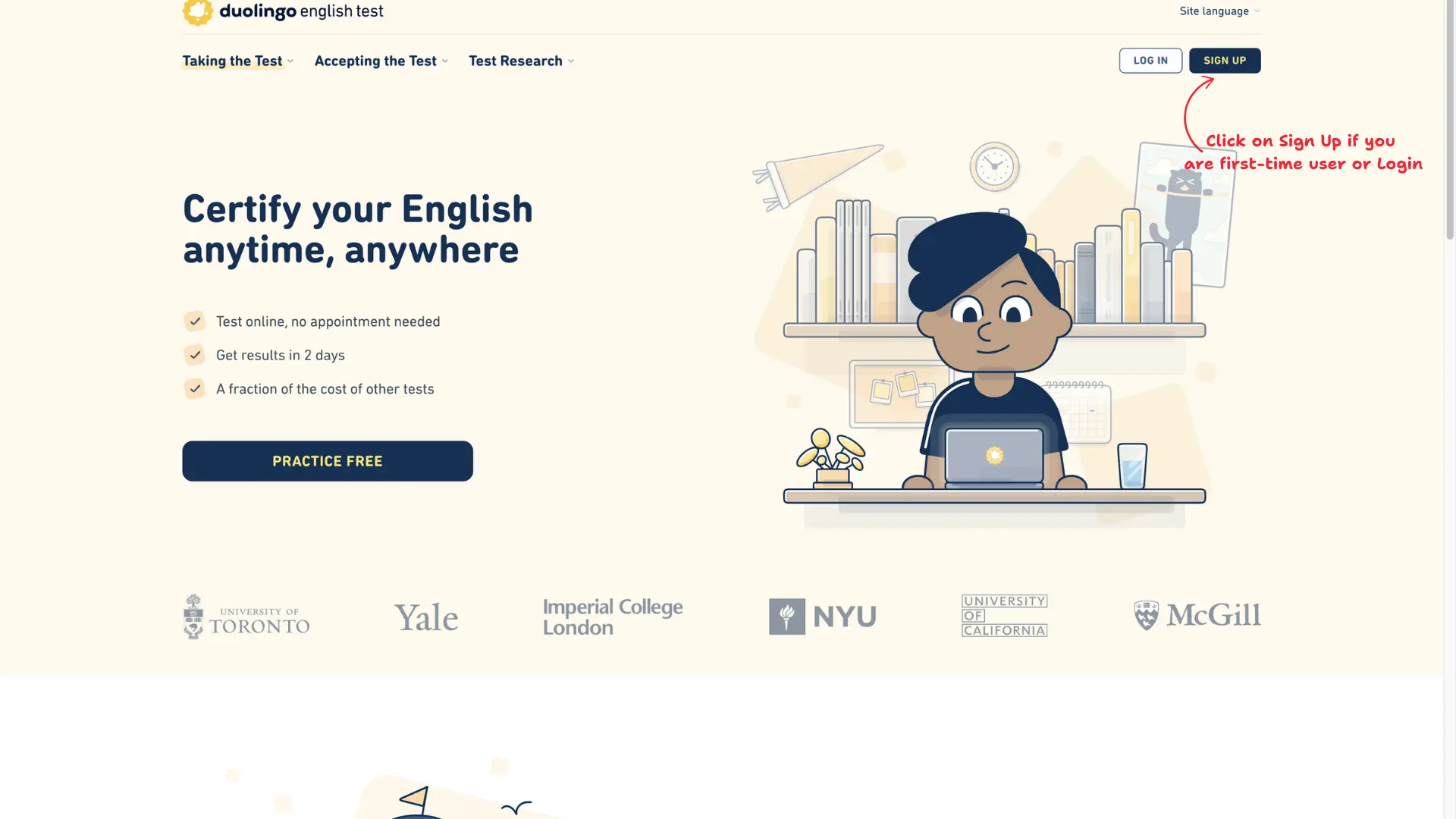
1. Open Duolingo English Test (DET) website. Click on Sign Up if are first-time user or Login.
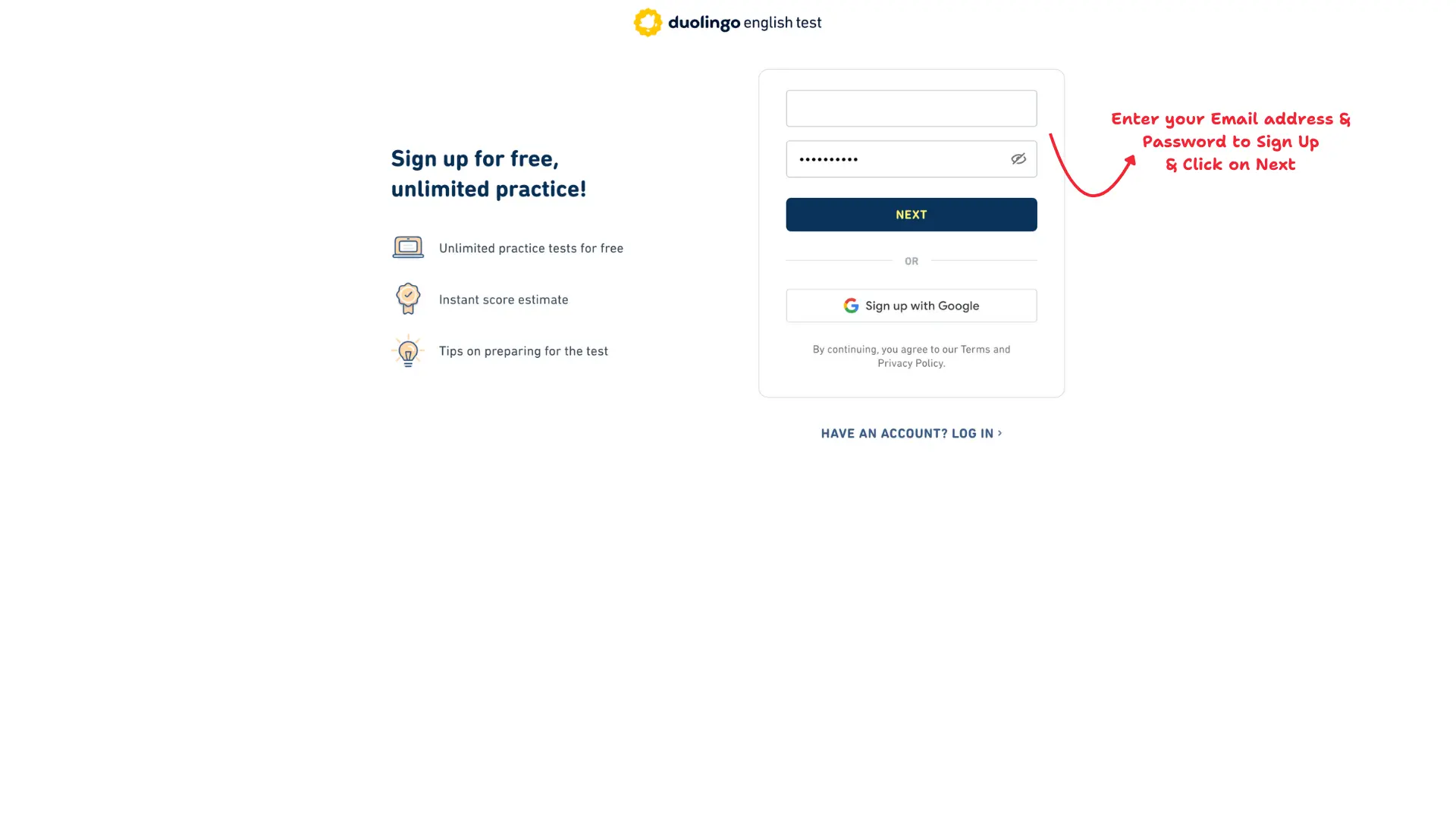
2. Enter your Email address and Password. Click on Next or Simply Login via Google.
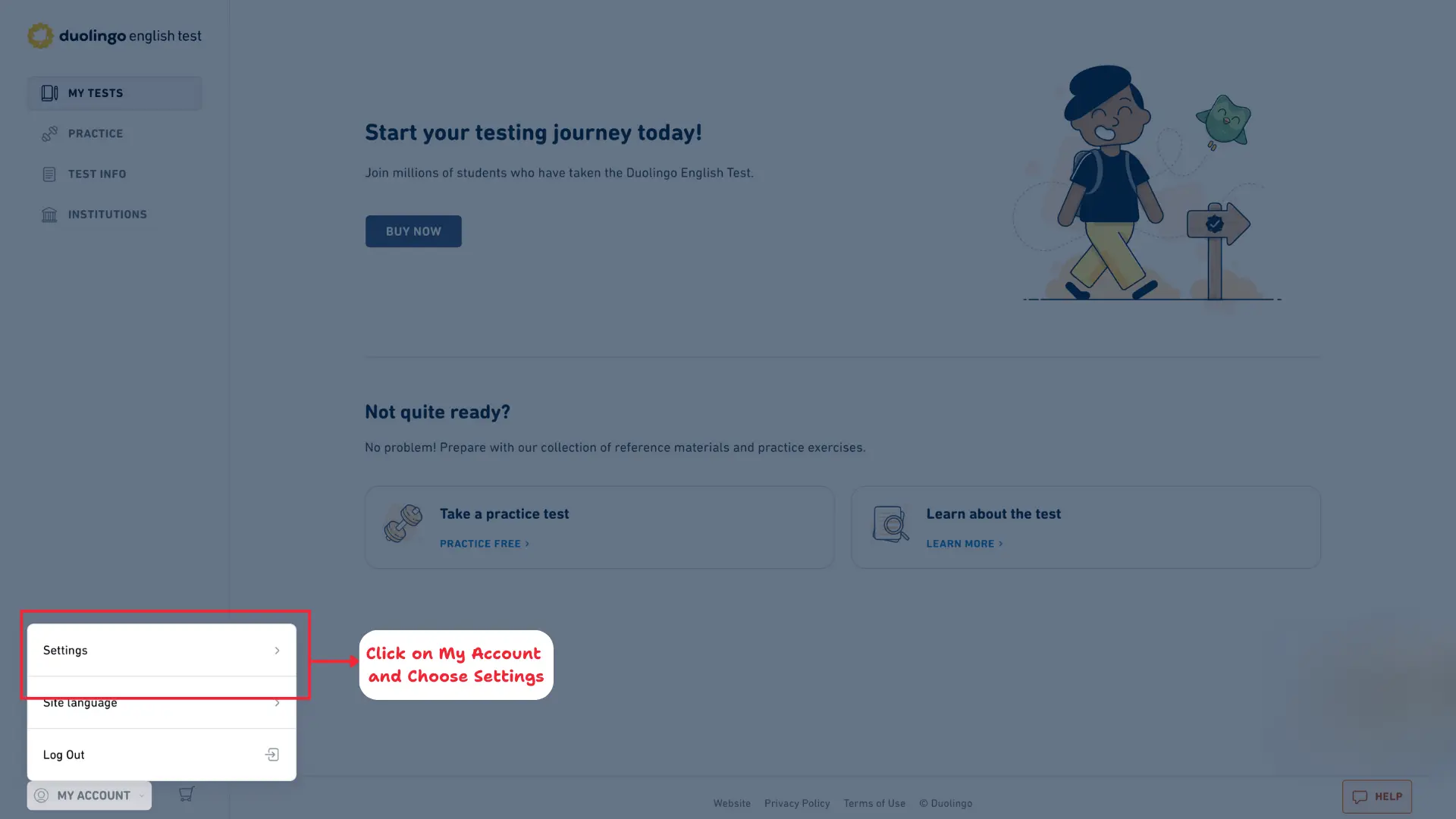
3. On your DET Dashboard, click on "My Account" in the bottom left and Choose Settings.
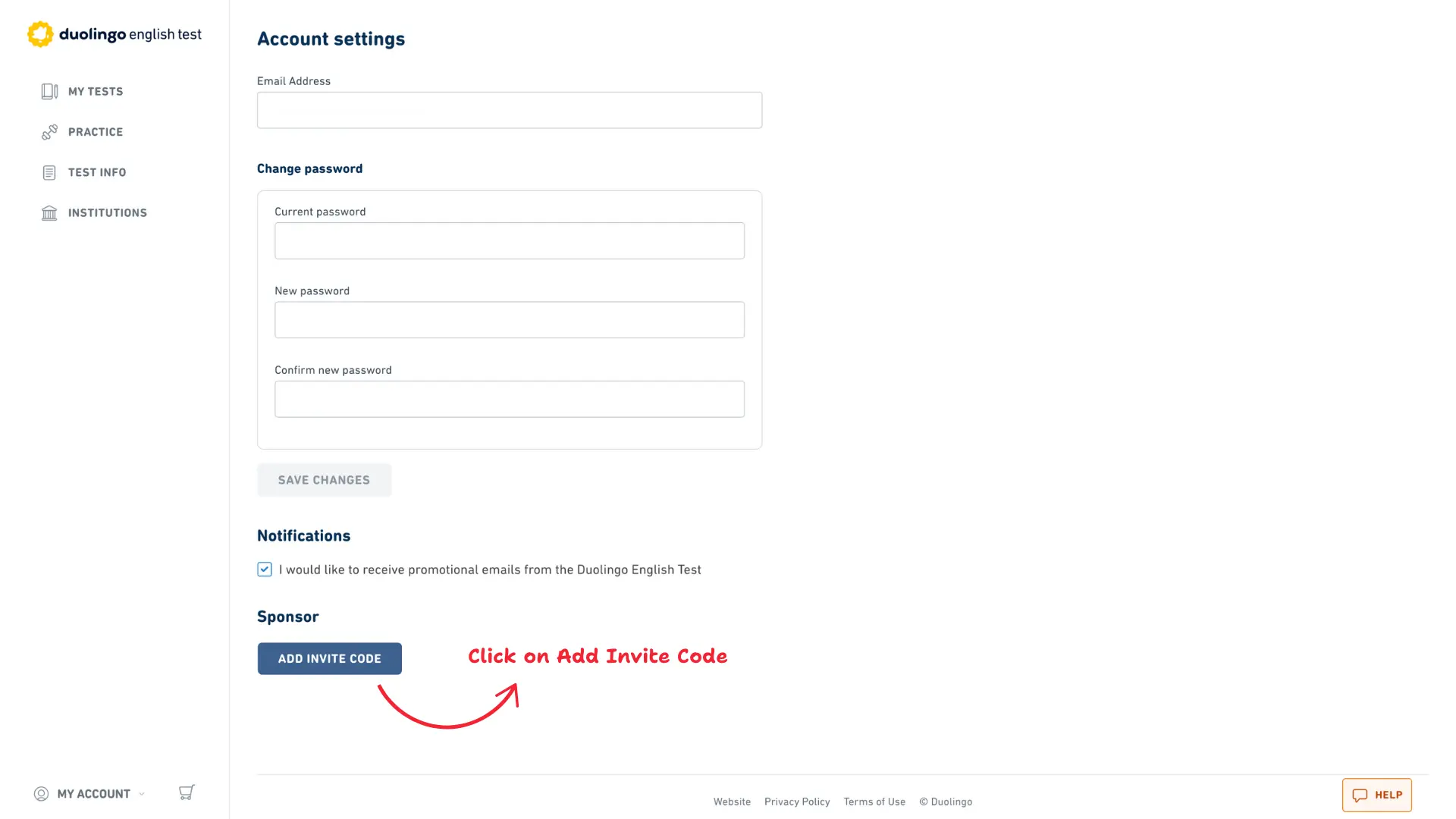
4. In Sponsor Section, Click on "ADD INVITE CODE".
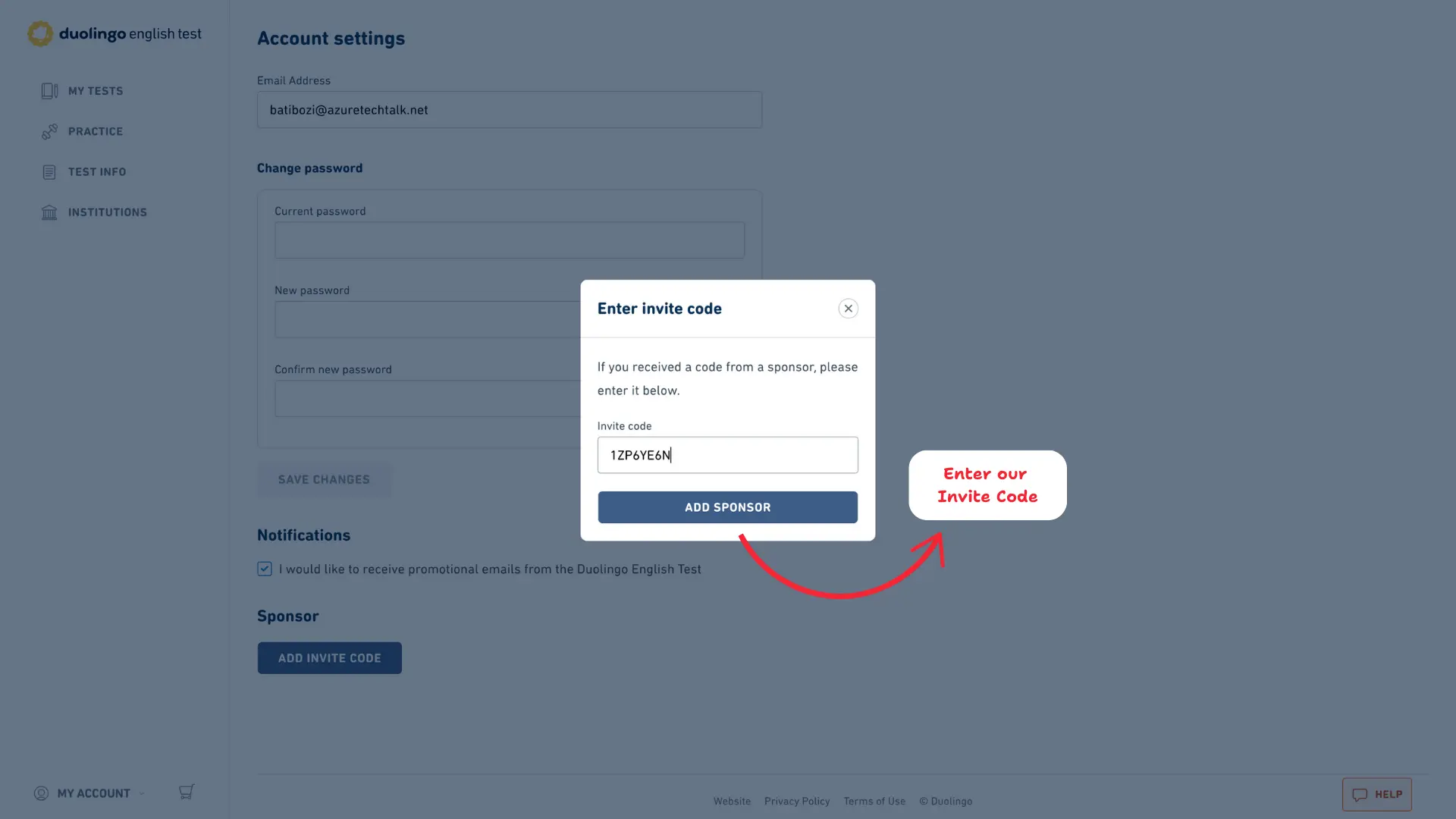
5. In the Invite Code field, add our Code - 1ZP6YE6N (Same for all users) and Click on "ADD SPONSOR".
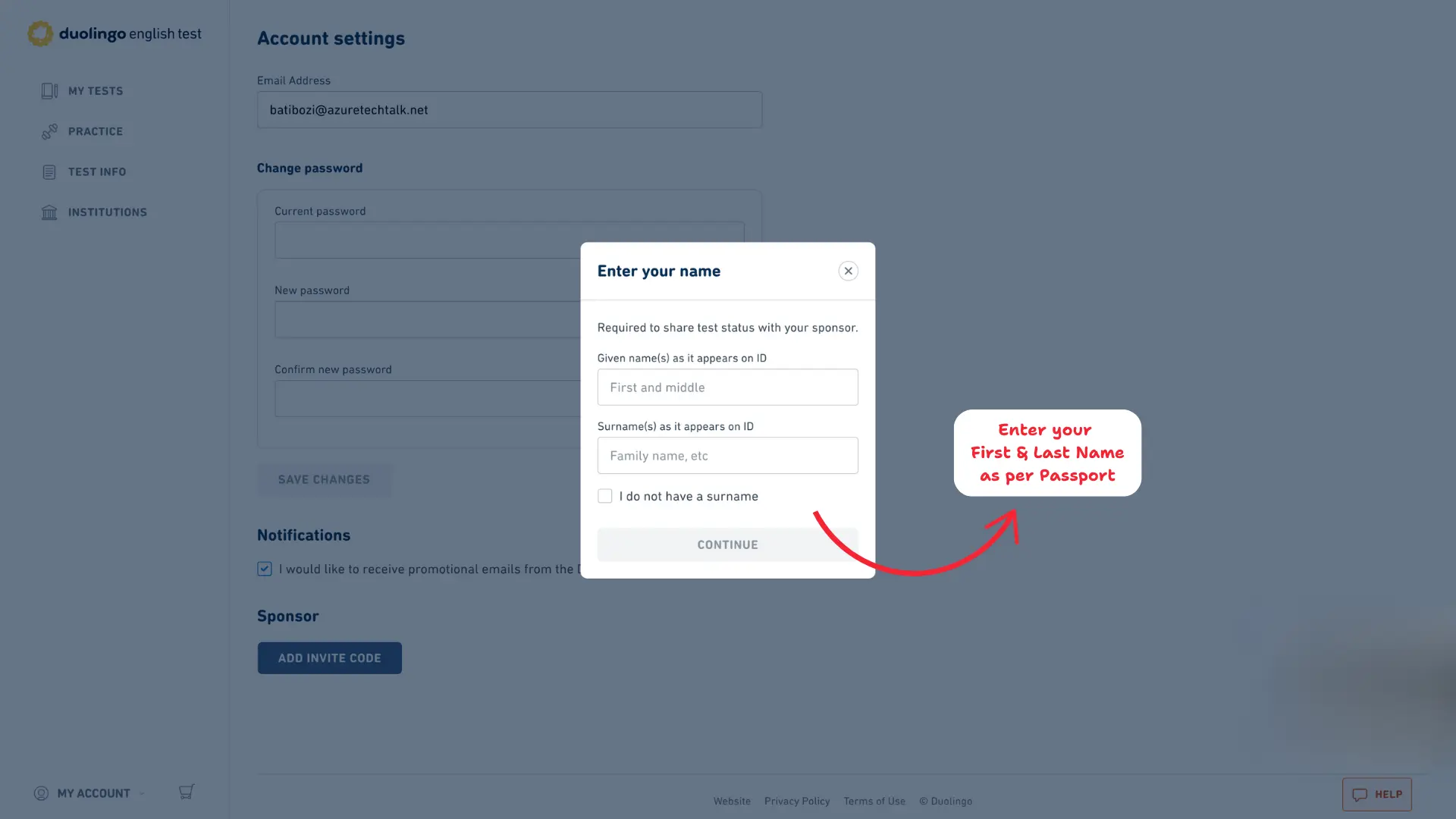
6. Enter your First and Last Name as per Passport and Click on Continue
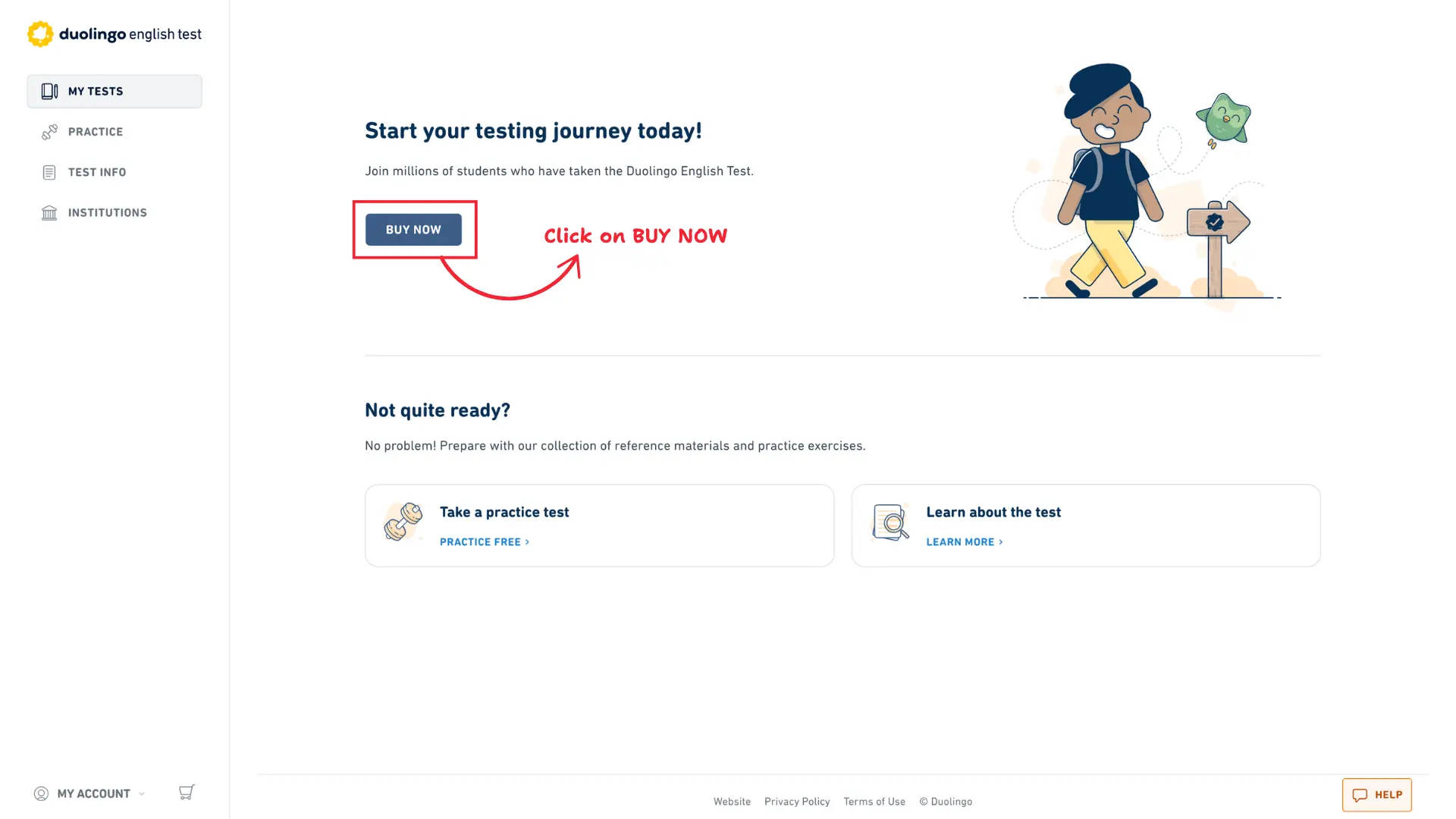
7. Come back to DET Dashboard by Clicking on "MY TESTS" from sidebar. Click on "BUY NOW" button
8. Choose the number of test between One and Two. Click on Continue.
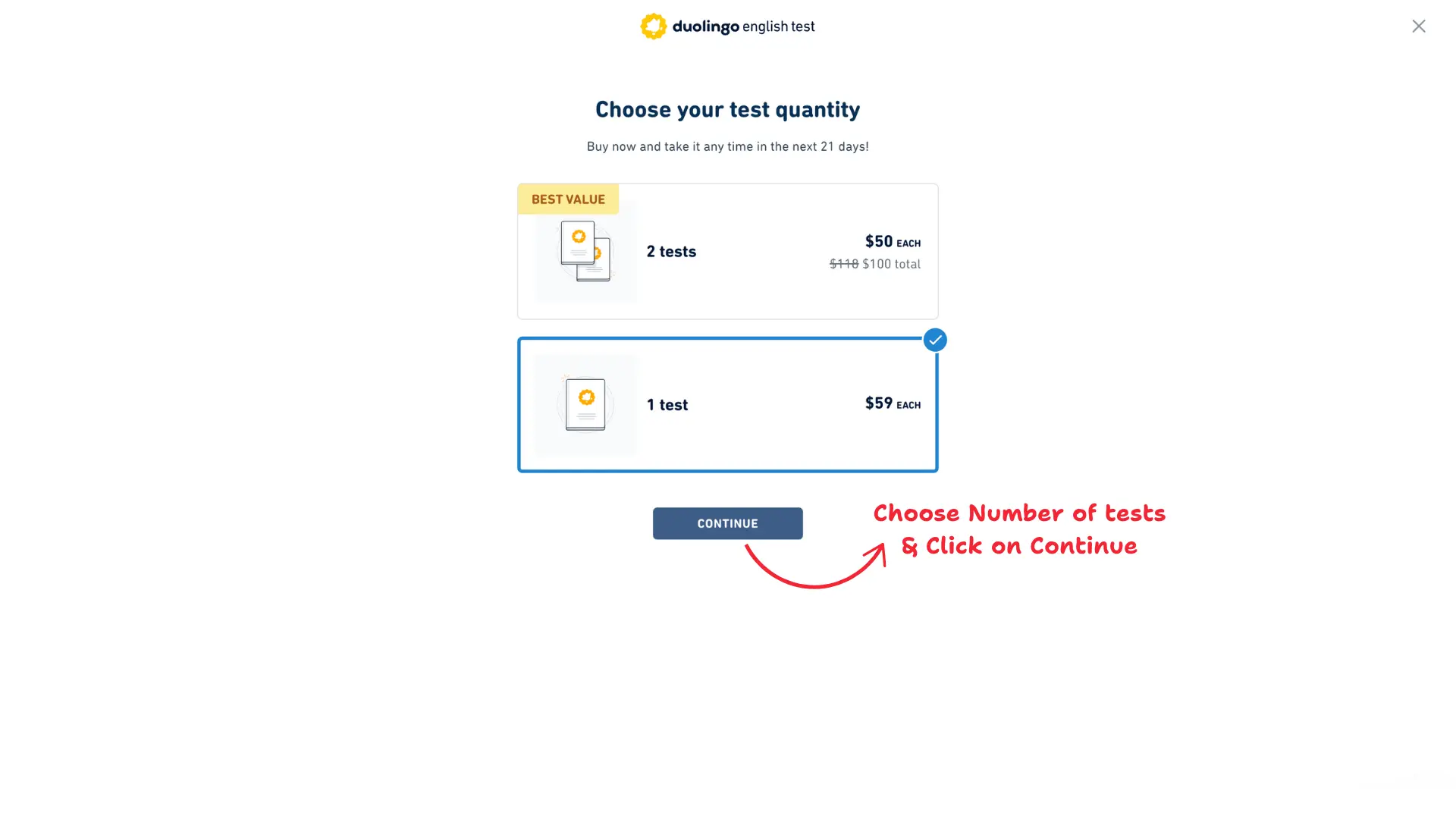
Note: Your Abroad Cube voucher covers one test attempt only. If you select "Two," the cost of the second test will not be covered by your voucher and will be charged separately at checkout.
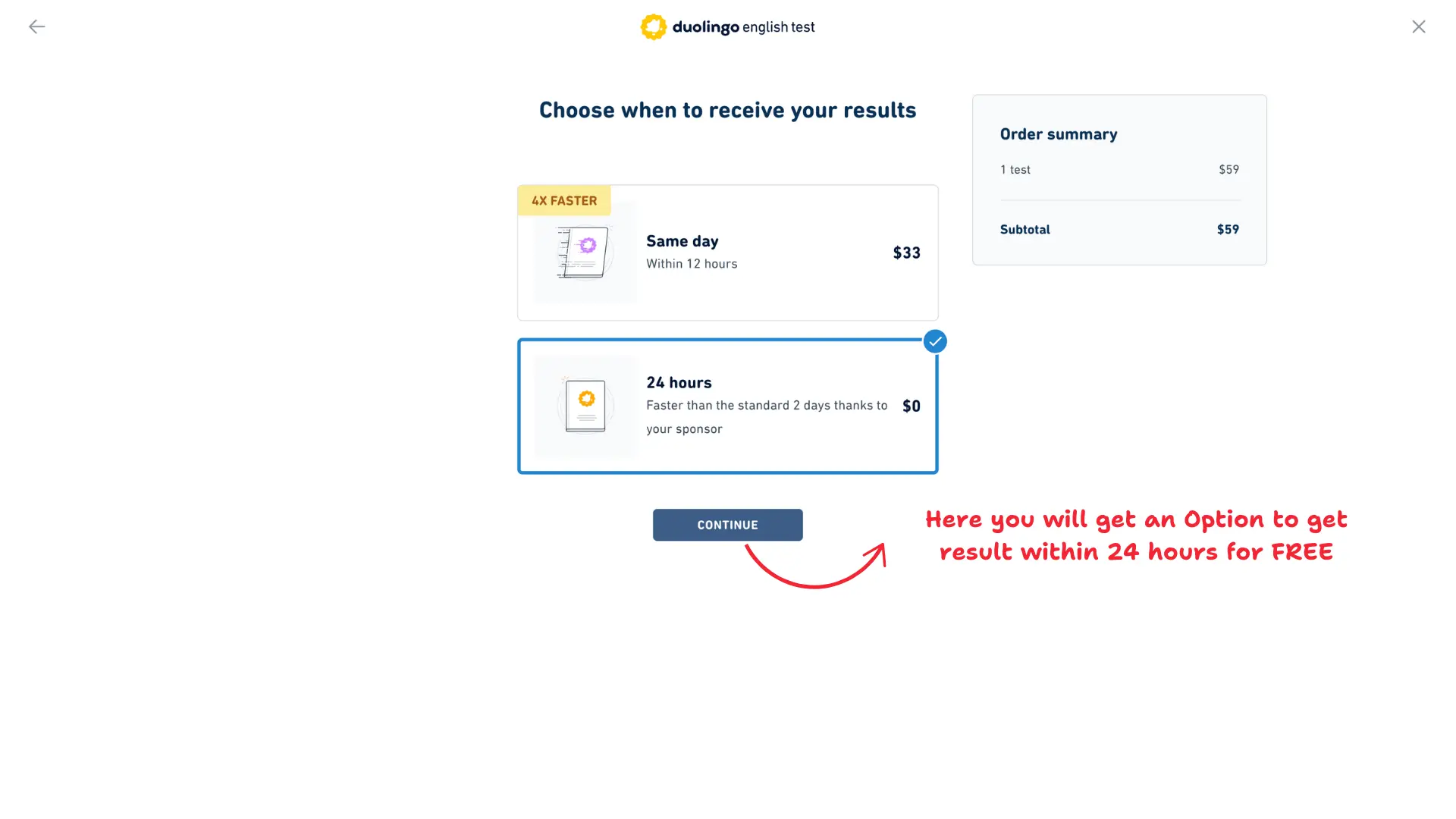
9. Here you will get an Option to receive your Faster Results in 24 hours for FREE. Without our Invite Code, you will get standard result in 48 hours.
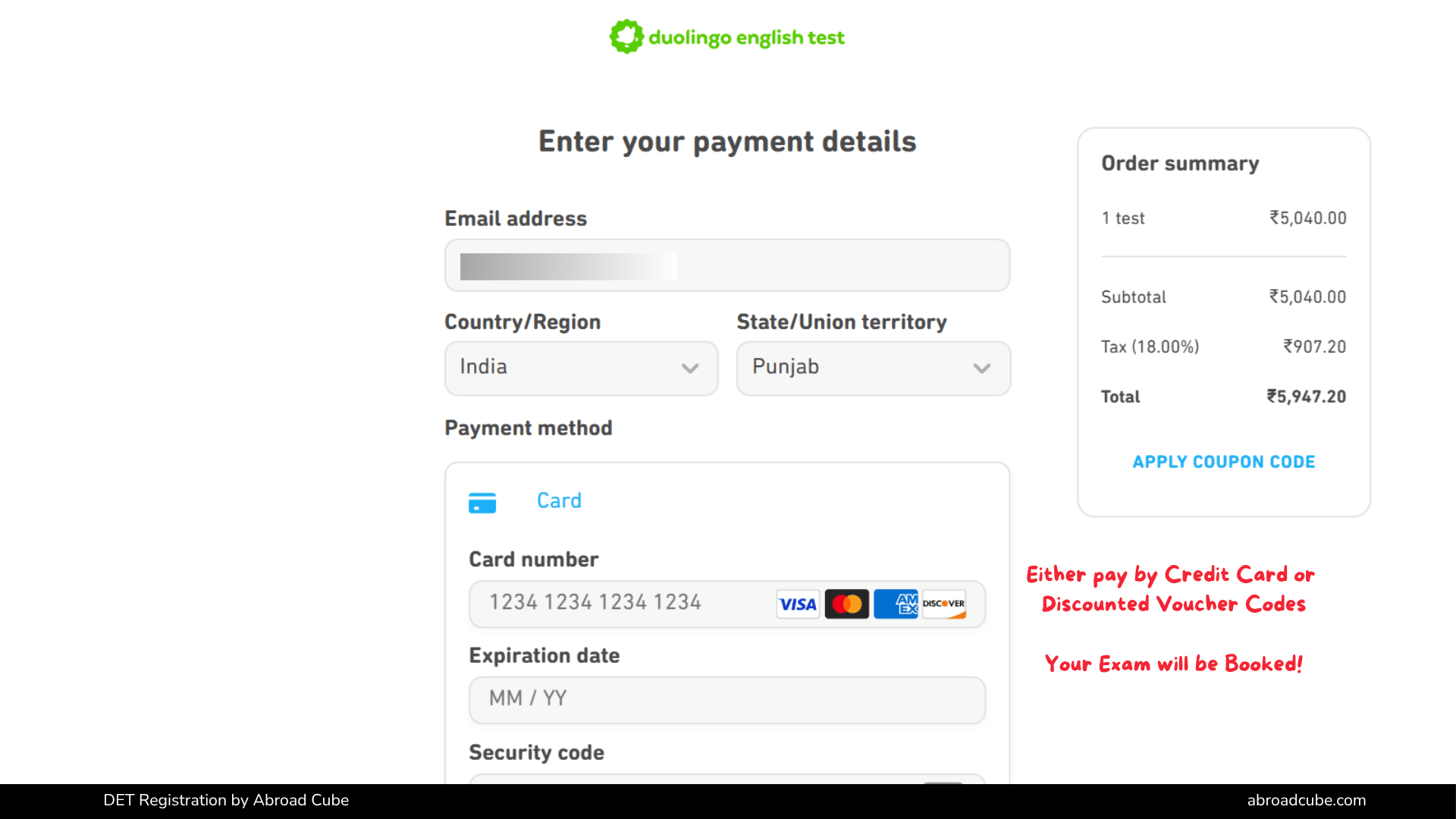
10. Click on "Apply Coupon Code" and enter the Voucher Code received on your Whatsapp Number and Email address from Abroad Cube.
Here are the Common Mistakes test takers generally encounter with complete resolutions.
Mixing up the two codes — The invite code (1ZP6YE6N) goes in the Sponsor section (Step 5) to unlock free 24-hour results. Your unique voucher code (sent via WhatsApp/email) goes in the Apply Coupon Code box (Step 10) to pay for the test. Entering one in place of the other is the most common mistake.
Forgetting to click "ADD SPONSOR" after entering the invite code in Step 5 — the sponsor won't be linked and you'll miss the free 24-hour result upgrade.
Name mismatch with passport — Entering a nickname, missing a middle name, or reversing first/last name order can cause identity verification issues on test day. Always enter your name exactly as it appears on your passport.
Selecting "Two" tests in Step 8 — Your voucher covers only one test. Choosing "Two" adds a separate charge for the second test.
Redeeming before receiving the code — Only enter the voucher code once you've actually received it from Abroad Cube via WhatsApp or email.
Reusing an already-redeemed code — Each voucher code is valid for a single use. If it's already been applied once, it won't work again.
Letting the 21-day window lapse — The window to start your exam begins right after redemption, not after purchase. Redeem only when you're ready to schedule.
If your voucher code isn't being accepted, try the following before reaching out:
If the code still doesn't work after these checks, contact Abroad Cube support directly on WhatsApp or call +91 98779-83783, and our team will resolve it for you.
Normally, Duolingo English Test results take up to 48 hours to arrive. As part of Abroad Cube's exclusive partnership with DET, adding our invite code (1ZP6YE6N) as your sponsor in Step 5 automatically upgrades you to 24-hour results at no extra cost. There's nothing separate to buy or activate — simply complete Steps 3–5 correctly, and the faster result timeline applies automatically once you book your test.
Source: The information mentioned above was collected and verified by our Counselling and Exam Experts of Abroad Cube in partnership with Duolingo English Test on 16 August 2026.

Are you looking for Australia visa medical doctors in India? Find reliable panel physicians quickly and easily with this comprehensive guide!
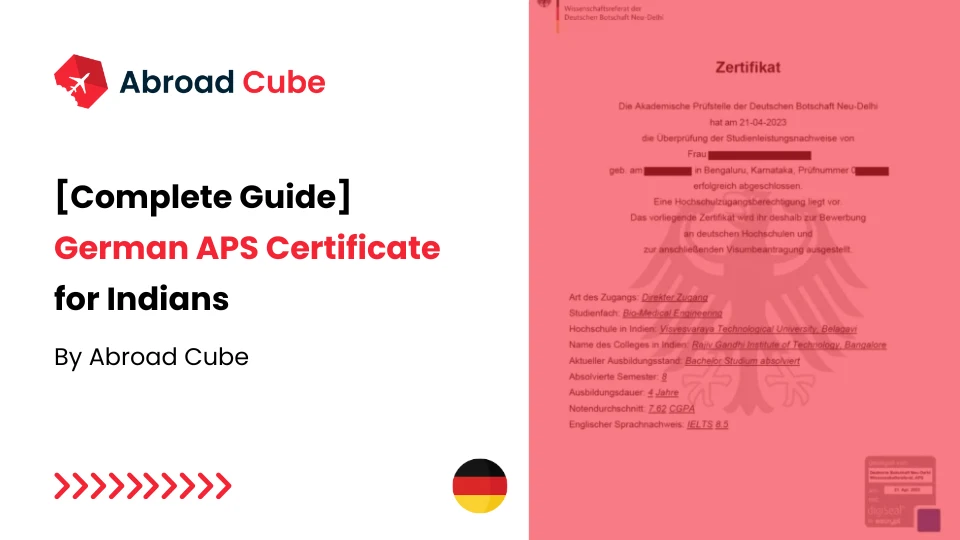
Check out the complete guide for APS Certificates for Indian Students. The APS Certificate is mandatory from 1st Nov 2022 to be obtained before applying to German Universities.
Are you looking for Canada visa medical doctors in India? Find reliable panel physicians quickly and easily with this comprehensive guide!
Find out the minimum PTE scores needed for Australia visa and PR. Equip yourself with the right information to navigate your immigration process smoothly.
The UK Immigration Health Surcharge can be a confusing topic, but this guide breaks it down into simple terms. Learn what it is, how much it costs and who needs to pay!



 Study in USA
 Study in Canada
 Study in UK
 Study in Germany
 Study in Australia
 Study in France
